

Summarize With AI


A commercial process stuck between spreadsheets, emails, and tools that do not communicate does not need a complex application to start working better. But it also should not be solved with a quick fix that becomes a blocker in six months. This is where the no-code vs custom development discussion stops being technical and becomes a decision of operations, cost, and growth.
For an SME, SaaS startup, or services company, the right question is not “what is the best technology?”. It is: which solution eliminates manual work now, reduces errors, integrates the critical systems, and continues to support the operation when volume doubles? The answer depends on the process, the level of differentiation required, and the price of maintaining the solution over time.
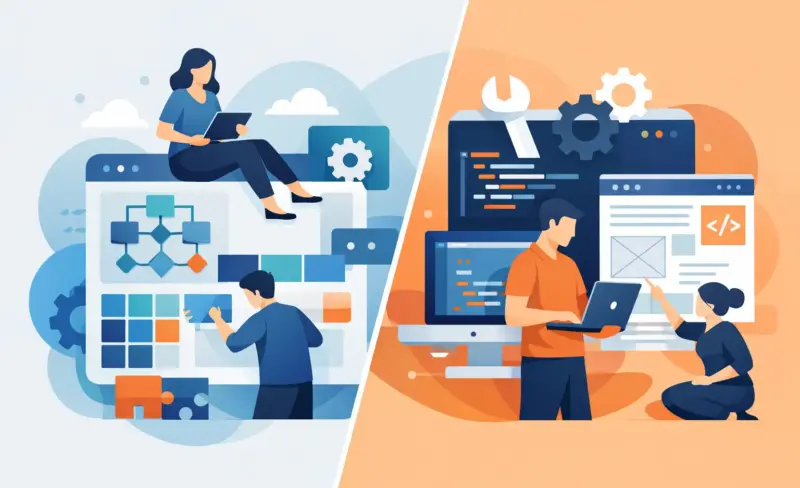
No-code vs custom development: what changes
No-code makes it possible to create automations, internal portals, approval flows, and connections between tools through visual platforms. Instead of a team writing code from scratch, the process logic is designed with blocks, rules, fields, and integrations already available. It is an effective way to turn a manual operation into a measurable workflow in days or weeks.
Custom development creates the solution to measure. The logic, the interface, the integrations, and the infrastructure are built to meet the company’s specific requirements. It requires more planning and initial investment, but it offers the freedom to create something a standard platform cannot execute with reliability or scale.
The difference is not only delivery speed. It is also where the complexity sits. In no-code, part of that complexity is managed by the platform. In custom code, the company controls more elements, but it takes on more technical decisions, maintenance, and responsibility for the architecture.
When no-code creates immediate impact
No-code is especially strong when the process is already clear and uses common digital tools. For example, a sales team receives leads through forms, does manual qualification, creates contacts in the CRM, books meetings, and sends proposals. If these steps follow predictable rules, it is possible to automate a large part of the journey without building software from scratch.
The same applies to customer onboarding, distribution of support requests, expense approval, document collection, or report updates. In these cases, the value is in connecting systems, normalising data, and taking repetitive tasks off the team’s calendar. The result can be less administrative time, faster replies, and greater visibility over what is blocked.
No-code is a sound choice when you need to validate a process before investing more. A company can launch a simple internal portal, test the business rules with real users, and measure the operational gains. If the process changes, the solution also changes with greater speed and lower cost.
That does not mean it is a lesser option. A well-designed automation can manage thousands of actions a month. The limit appears when the workflow starts depending on highly specific logic, large data volumes, strict response times, or security requirements beyond what the platform supports.
When custom development pays off
Custom development makes sense when technology is a central part of the value proposition, or when the operation has rules that cannot be forced into a predefined model. A SaaS platform with complex permissions, its own pricing calculation, sensitive data, or a differentiating customer experience should rarely depend only on visual automations.
It also pays off when the cost of the limitation is higher than the cost of building. Imagine a services operation that needs to cross data from multiple sources, apply specific assignment rules, and deliver information in real time to different teams. If a no-code solution requires workarounds, data duplication, and frequent manual checks, it stops reducing work. It only moves the problem.
There is also the question of scale. Custom code makes it possible to optimise performance, define proprietary data models, control permissions with more precision, and avoid excessive dependence on a single platform. In return, it requires a clear specification, tests, monitoring, and ongoing maintenance. Building to measure without operational discipline creates technical debt, not competitive advantage.
The costliest mistake is choosing by ideology
Some companies choose no-code because it always seems cheaper. Others choose custom development because they want “something professional”. Both may be paying too much.
A custom application to solve a simple automation can consume months of budget and delay obvious gains. On the other hand, trying to manage a critical operation with dozens of fragile scenarios in a visual tool can increase failures, make audits harder, and turn every change into a risk.
The choice should start from the value of the process. How much does the manual work cost today? How many errors does it generate? What revenue goes uncaptured due to delays? How much does downtime cost? When these metrics are clear, the decision stops being a technology preference and starts having a measurable financial return.
Four criteria to decide with control
Before choosing, assess four dimensions: urgency, complexity, criticality, and expected evolution.
Urgency measures how long the team can keep operating as it is. If there is a problem that consumes hours every day, a no-code solution can create immediate impact while a larger evolution is validated.
Complexity measures the number of rules, exceptions, systems, and data involved. Linear, repetitive processes adapt well to no-code. Dense rules, proprietary calculations, and deep dependencies tend to justify code.
Criticality measures the impact of a failure. An internal notice can admit some flexibility. A flow that processes payments, personal data, or contractual decisions needs more demanding controls, logs, and tests.
Finally, assess the evolution. If the solution will serve a team of five people for a year, it does not need to be designed for a thousand users. If it will become the core of the operation or a product for customers, it is worth planning the right architecture early.
The best answer is often hybrid
No-code and custom development are not opposing camps. In many operations, the most efficient solution combines the two. Code handles exclusive logic, integrations that require greater control, or high-performance components. No-code handles approvals, notifications, data sync, administrative tasks, and internal interfaces the team needs to adjust quickly.
This model avoids two kinds of waste: building from scratch what a platform already solves well, and pushing onto no-code what needs its own engineering. It is also a smart way to distribute investment. The company builds only where it gains relevant differentiation or control, and automates the rest with speed.
For example, a recruitment company can keep its own engine for matching candidates to vacancies, while using no-code automations to receive applications, request documentation, notify recruiters, and update the CRM. The candidate receives faster replies, the team works with fewer repetitive tasks, and the strategic core remains under control.
Start with the process, not the tool
Implementation should start by mapping the real work. Not the ideal process drawn in an old document, but what happens between the intake of a request and the final result. Who intervenes? What information is copied? Where do errors appear? Which decisions require human validation? Which tools already contain the right data?
Then define a concrete success metric. It may be reducing lead response time from two hours to ten minutes, cutting 60% of data-entry tasks, or eliminating failures in the handoff of requests between teams. Without this baseline, it is easy to confuse technical activity with operational improvement.
Next, implement in phases. Automate first the point with the greatest waste and the lowest risk. Measure usage, errors, and time saved. Only then add exceptions, new integrations, or custom features. This approach reduces surprises and prevents automation from replicating disorganised processes at greater speed.
Maintenance also counts. Tools change, APIs fail, teams alter procedures, and business rules evolve. Ongoing follow-up ensures the automation continues to produce results instead of becoming another forgotten piece of the operation. It is in this phase that an operational partner, such as Haipe Studio, helps connect strategy, implementation, and day-to-day management without creating dependence on an internal technical team.
The right decision is not the one that looks most advanced in a demo. It is the one that takes load off the team, protects critical processes, and gives the company room to grow with control. Start with the blocker that costs the business the most and choose the technology that solves it without creating the next one.


